Syno Manager is a third-party Synology client built around a different question: not "what can a phone app do to files", but "what does a NAS owner actually check, and what do they want to fix from the sofa".
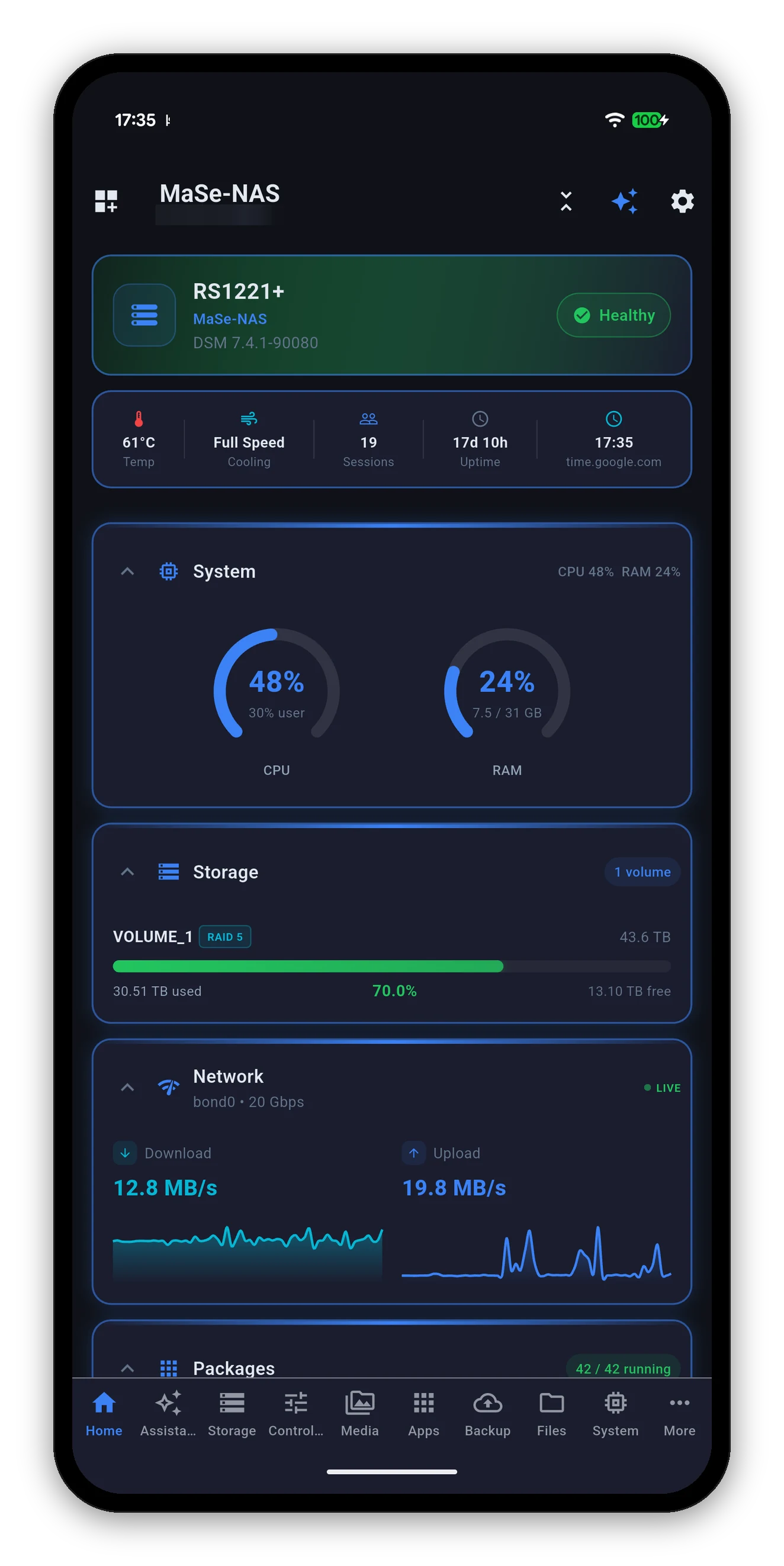
System, storage, network, containers, packages, cameras, photos, backups, files, users and tasks - all in one place, with one connection and one sign-in.
Not "Warning" - which drive, which volume, what temperature. And it never shows a healthy tick over a reading it could not take.
Restart a container, install a package, run a backup, toggle a service, eject a drive, wake a machine, change the fan mode - from the phone.
Photos, camera live view and file downloads all go over QuickConnect. No port forwarding, no reduced feature set when you leave the house.
Reorder, collapse or hide any card, pick the tabs in the bottom bar, choose your accent, and get true black on OLED. It reopens the way you left it.
Ask about your NAS in plain words, answered by a model on your phone. Works offline, sends nothing anywhere, and only ever reads.
Being clear about the boundary is more useful than claiming there is not one.
| Task | Where it belongs | Why |
|---|---|---|
| Create or expand a volume | DSM | Irreversible, and needs a screen that shows the whole array at once. |
| Define a backup task | DSM | Source selection, schedule and retention are a long form. |
| Create a container | DSM or Portainer | Ports, mounts and environment variables need room. |
| Restore from a backup | DSM | Not something to start by accident on a phone. |
| And on the phone | ||
| Is anything wrong right now? | Syno Manager | One screen, with the reason named. |
| Did the backup run? | Syno Manager | Last run, next run, and the size it actually takes. |
| Restart that container | Syno Manager | Three taps, with the log one more. |
| Install a package | Syno Manager | Search, pick a volume, install - confirmed by re-reading the list. |
| Check the front door | Syno Manager | Live view, from anywhere, without exposing RTSP. |
| Wake the desktop before you get home | Syno Manager | The NAS broadcasts the packet for you. |
This runs through the whole app, and it is the thing that is hardest to see in a screenshot and most valuable in daily use.
A wrong label on a correctly-read value arrives with all the authority of a real reading, and nobody can tell. That is worth more care than a feature list.
Add your NAS and you are looking at it in under a minute.




Read the full manual Compared with DS finder
By platform: iPhone & iPad · Android · Mac & Windows
 Syno Manager