The question a NAS owner asks most often, answered in one screen. Backup covers Hyper Backup; Active Backup covers Active Backup for Business.
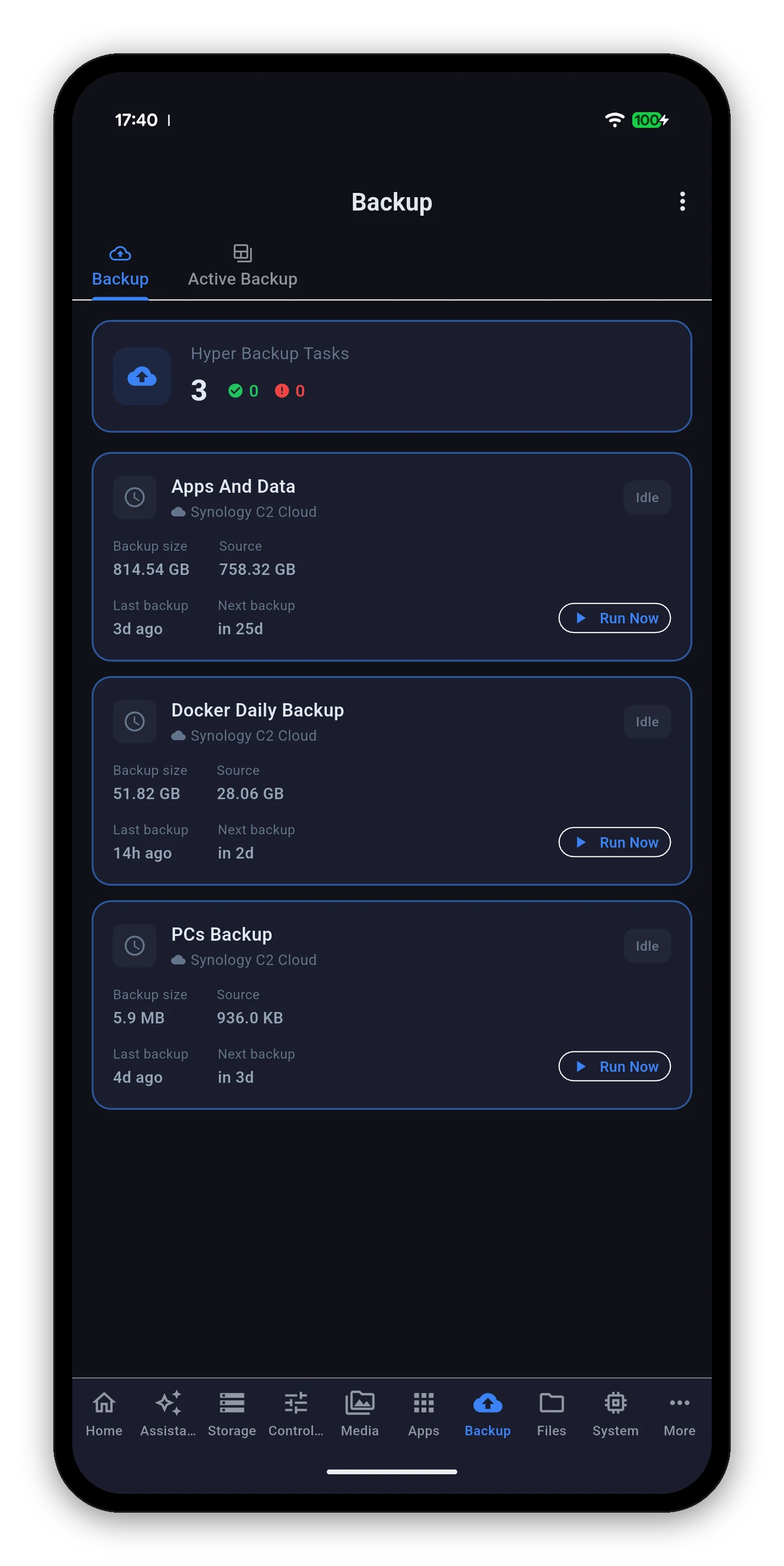
A summary at the top - how many tasks, how many healthy, how many in trouble - then a card per task.
| Shown | Meaning |
|---|---|
| Task name | As you named it in Hyper Backup. |
| Destination | Where it backs up to - Synology C2, a remote NAS, a local folder, a cloud provider. |
| State | Idle, running, or a failure. A running task shows a live progress bar. |
| Backup size | How much space the task takes up at its destination. |
| Source size | How much data it is backing up. |
| Last backup | How long ago the last run finished. |
| Next backup | When the schedule fires next. |
| Run Now | Starts the task immediately. A running task can be cancelled. |
Most tools show you one or the other. Shown together they answer questions neither can answer alone.
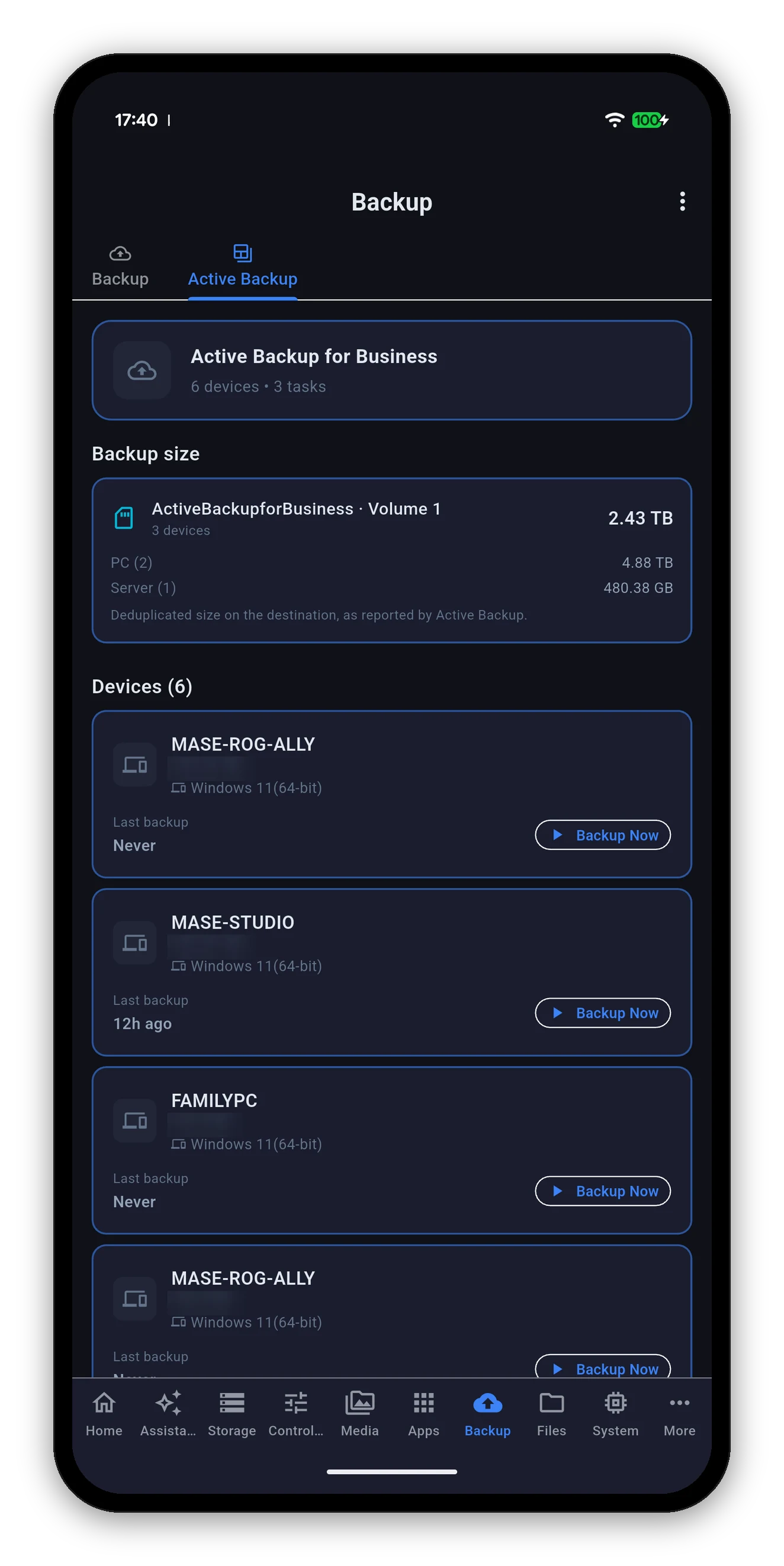
A header with the device and task count, then the repository size, then the devices themselves.
Users, scheduled tasks, UPS and the app's own settings.
 Syno Manager