HomeUser Guide › Apps
Apps

Everything your NAS runs

Four sub-views: Package Center for DSM packages, Docker for containers, Projects for Compose stacks, and Virtual Machines when VMM is installed.
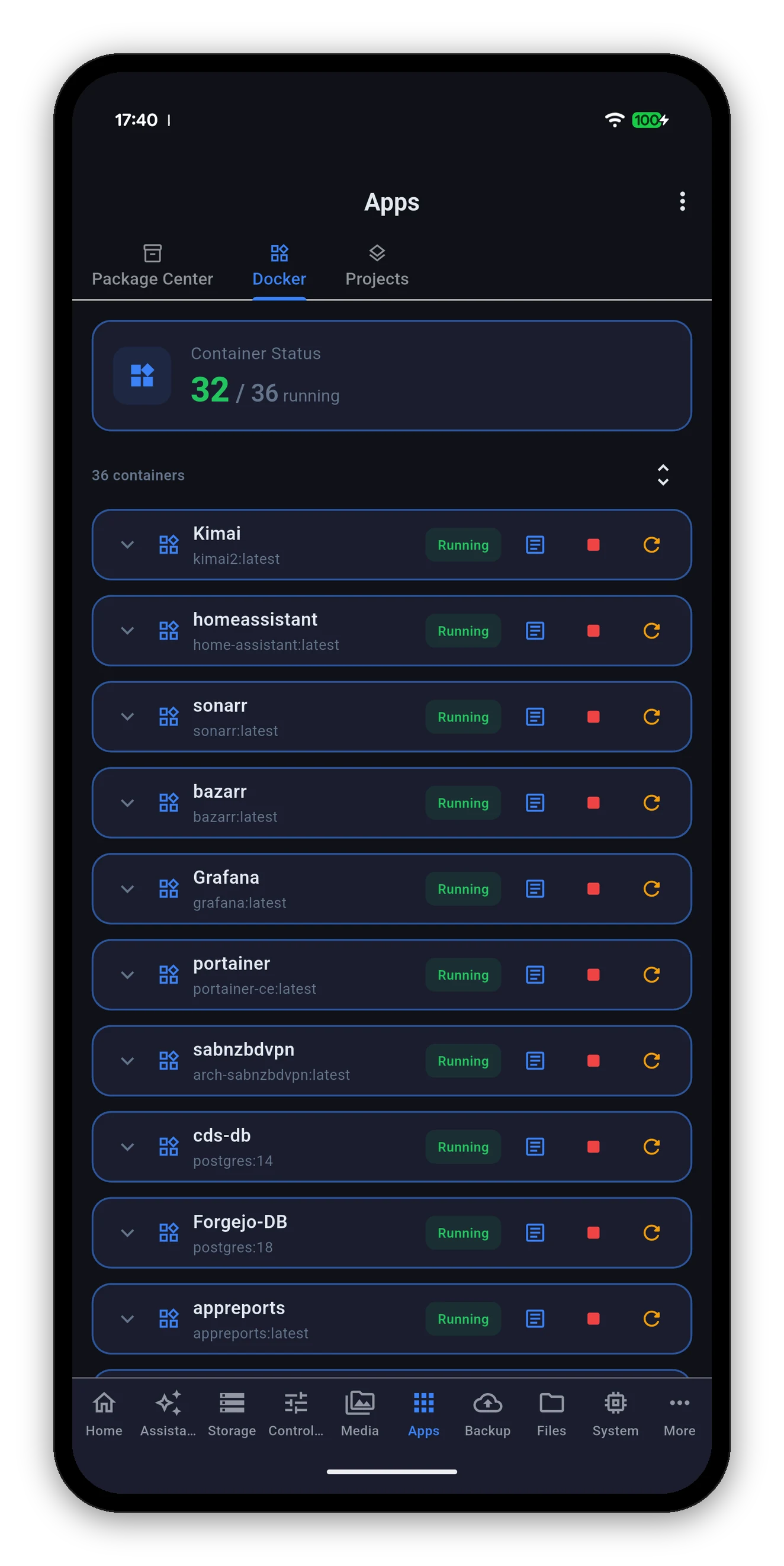
Docker containers with status and controls
Package Center

The whole catalogue, searchable

The same four filters DSM has, and a search box across all of them.

FilterWhat it lists
InstalledWhat is on your NAS now, with its version, its size and a running indicator.
All packagesSynology's full catalogue for your model.
BetaPre-release packages.
CommunityPackages from third-party sources you have added in DSM.

Each entry carries its version and download size, its description, and any dependency it needs - Needs Python2, Needs SynoFinder - so a surprise second install is not a surprise.
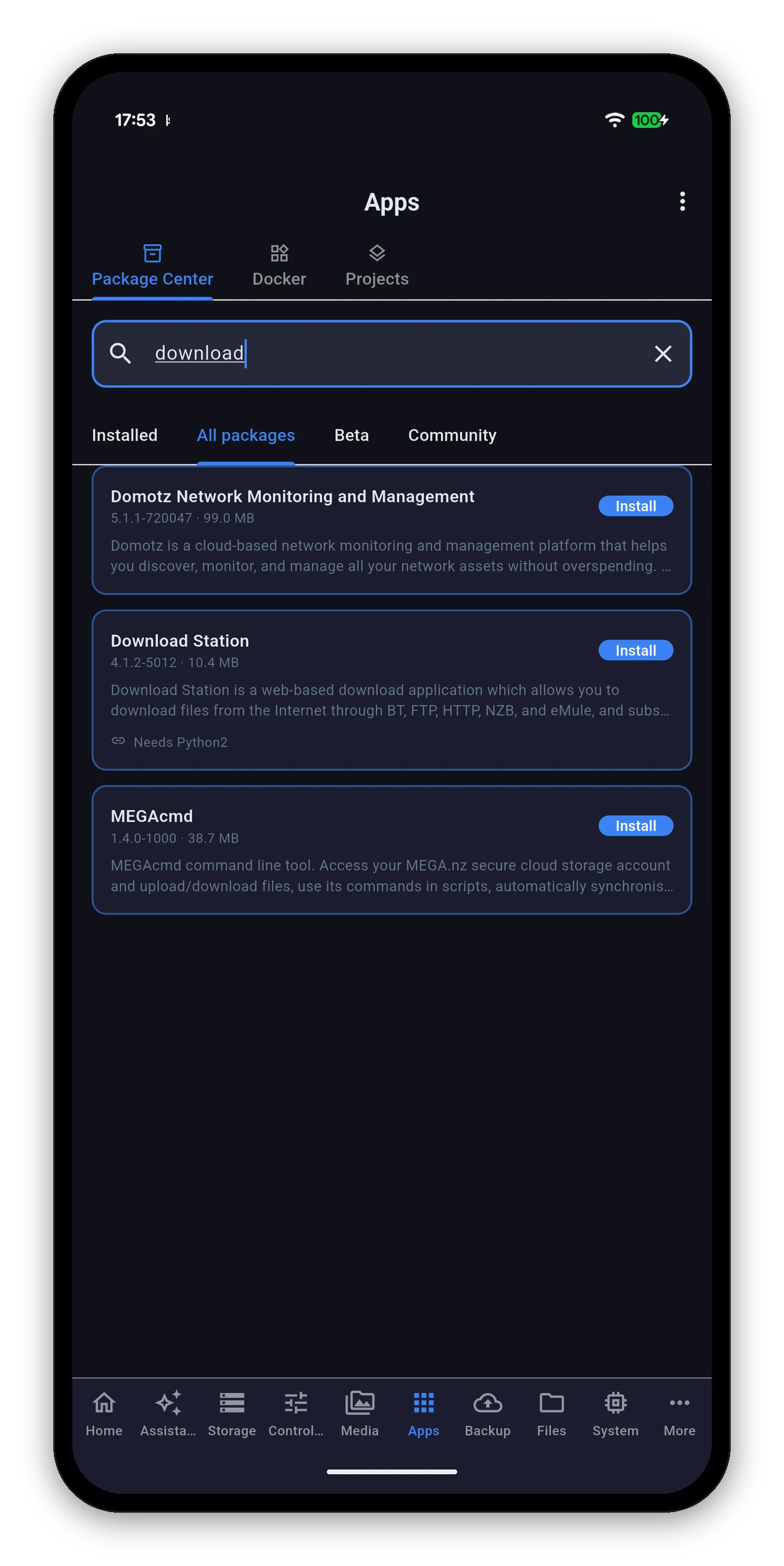
Searching the full package catalogue, with Install buttons

Searching All packages for a package that is not installed yet.
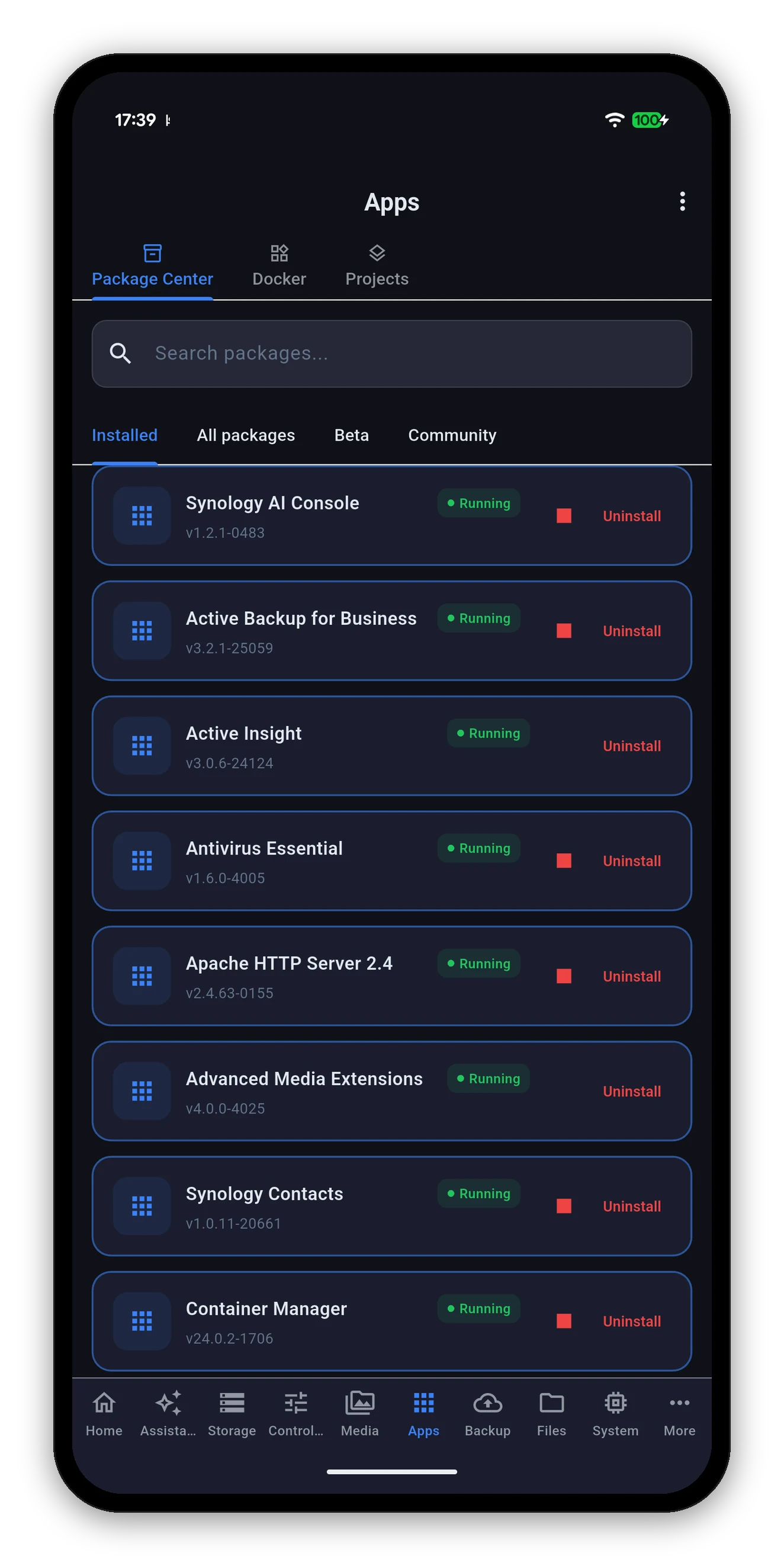
Package Center showing installed packages with running state
Install, update, uninstall

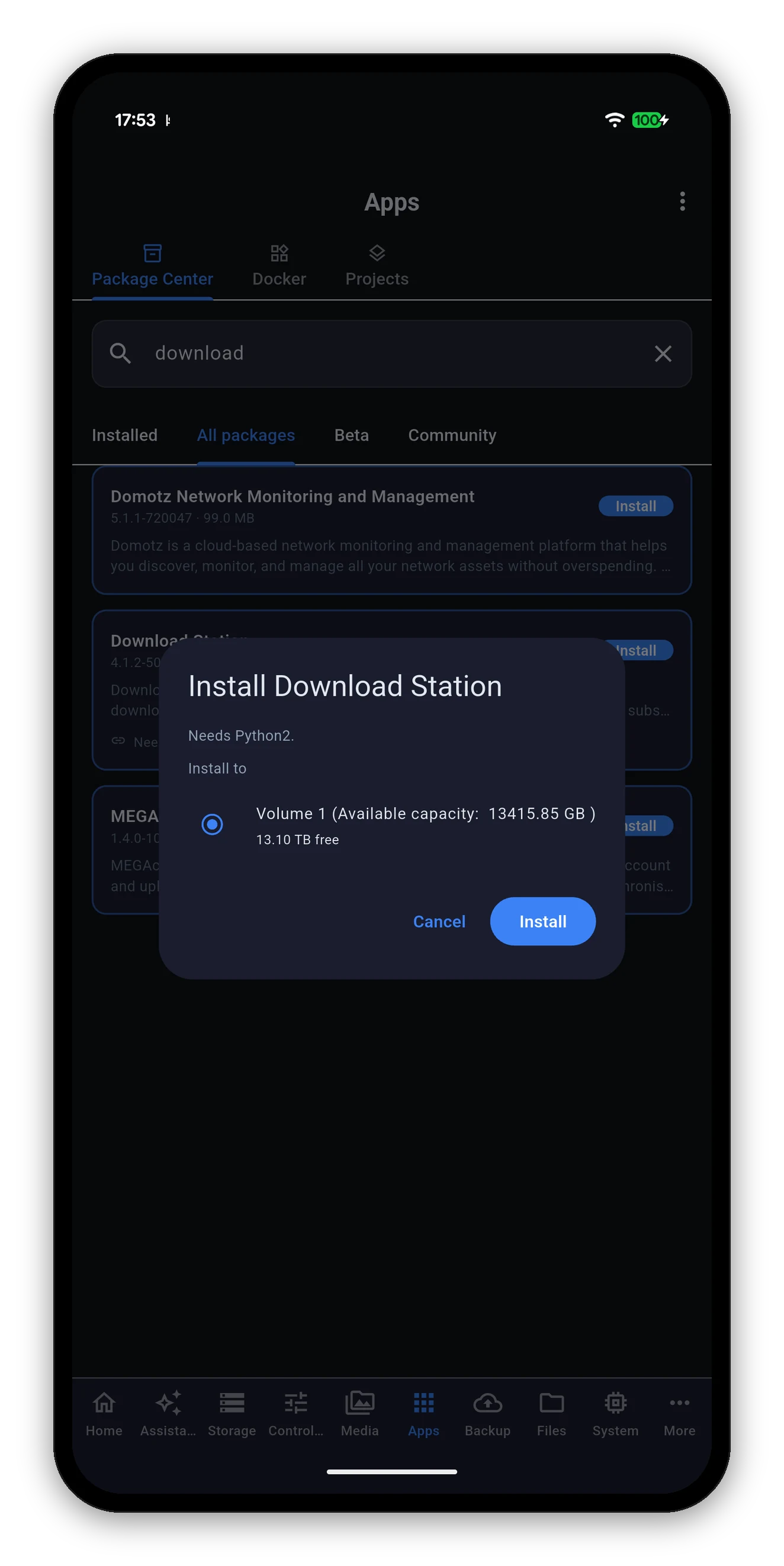
What happens when you tap Install

  1. Search or filter to the package you want.
  2. Install. A dialog names the package, lists any dependency, and asks which volume to install to - showing each volume's free space so you are not choosing blind.
  3. Confirm. The NAS installs it, dependencies included.
  4. The list re-reads itself. The button flips to Uninstall because the package list now says it is installed - not because the request returned OK.
That last step is the point. A request that succeeds and an install that finished are different events. The app waits for the second one.
The install dialog naming the package, its dependency and the destination volume
Installing a package adds screens to the app. The tab list is built from what your NAS reports on connect, so after installing something like Download Station, pull to refresh or reopen the app and its sub-view appears.
Docker

Every container, with the controls that matter

A status header - running out of total - then every container the NAS has, in one list.

Logs

Read once, follow on purpose

Container and stack logs behave the same way the system log does, and for the same reason.
Projects

Compose stacks, as stacks

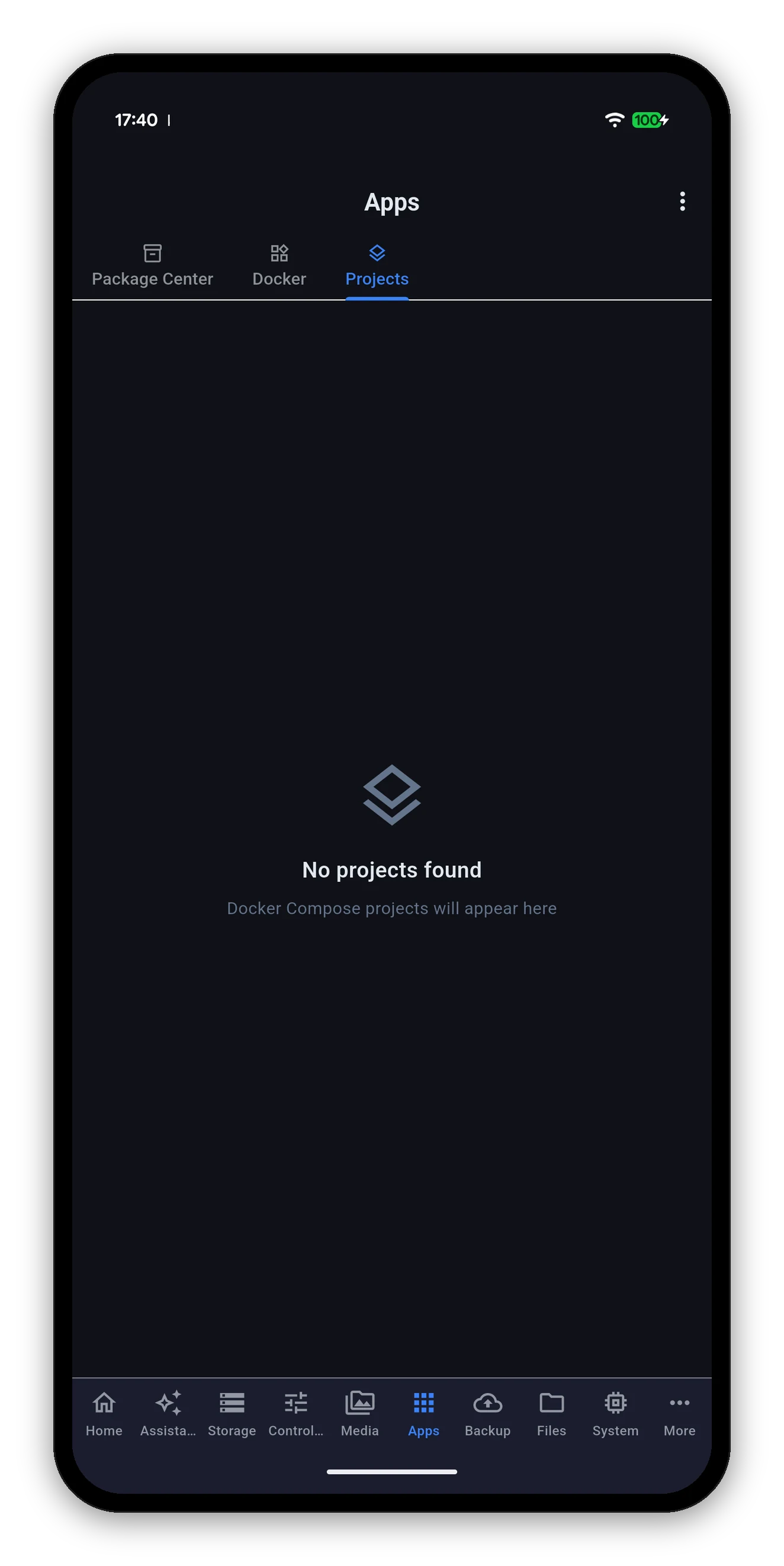
Docker Compose projects, with none configured

A Compose project is several containers that belong together. The Projects sub-view treats them that way: start or stop the whole stack rather than hunting down each container in the Docker list and hoping you got them all.

  • Each project shows its name and how many of its containers are up.
  • Start or stop the project as a unit.
  • Stack logs open like container logs.
  • No projects says so - "Docker Compose projects will appear here" - rather than an empty screen.
Virtual Machines

Virtual Machine Manager

Present when VMM is installed. Every virtual machine on the NAS, what it is doing, and the three power actions.

ActionWhat it does
StartPowers the machine on.
Shut downAsks the guest operating system to shut down cleanly.
Force offCuts the power. Hold to confirm, because it is the equivalent of pulling the plug on a running computer - a tap is too cheap for that.
A machine in an in-between state is described as one. If the NAS reports a state it does not call running or off - starting, suspending, crashed - the app shows exactly that word and offers the recovery control, rather than a Start button it cannot honour or a green tick that is not true.
Common questions

Apps FAQ

Can I install a DSM package from my phone?
Yes. Package Center in the app has the same catalogue DSM has - Installed, All packages, Beta and Community - with a search box. Pick a package, choose the volume, and install. Update and uninstall work the same way, and each action is confirmed by re-reading the package list.
Can I restart a Docker container from the app?
Yes. Each container has start, stop and restart, plus a button that opens its logs. A container that has exited shows a start button rather than a stop it could not honour.
Can I control Docker Compose stacks?
Yes. The Projects sub-view lists your Compose projects and starts or stops the whole stack. Stack logs open the same way container logs do.
Can I start and stop virtual machines?
Yes, if Virtual Machine Manager is installed. Start, shut down or force off any machine. Force off is hold-to-confirm because it is the equivalent of pulling the plug.
Can I create a new container from the app?
No. Creating a container means image selection, port mappings, volume mounts and environment variables - a form that belongs on a screen where you can see all of it at once. The app runs and monitors what you have created in DSM or Portainer.

Next: Media

Photos, Drive and Surveillance Station live view.
Photos, Drive & cameras →   Back to the guide